 // yap — from the makers of voice mirror
Talk instead of type.
Anywhere on Windows.
Press a hotkey, speak, press again. Yap transcribes on your GPU — locally, privately, free — cleans up the "um"s and grammar with AI, and types the result into whatever app you're in.
→ AI cleanup (local model, optional) → typed into the focused app
not code-signed yet — SmartScreen: “More info” → “Run anyway” · release notes · nightly
37 seconds — hotkey, cleanup, done · unmute for sound
Refuse the choice.
Free dictation tools transcribe locally but dump out raw, unpunctuated text. Polished apps charge ~$15/month and send your voice to the cloud. Yap does both halves — locally.
| Free / OSS tools | Paid apps (~$15/mo) | Yap | |
|---|---|---|---|
| Transcribes locally — voice never uploaded | ✅ | ❌ cloud | ✅ |
| AI cleanup — filler, punctuation, grammar | ❌ raw text | ✅ | ✅ even fully offline |
| Price | Free | ~$15/mo | Free, forever |
| Open source | ✅ | ❌ | ✅ MIT |
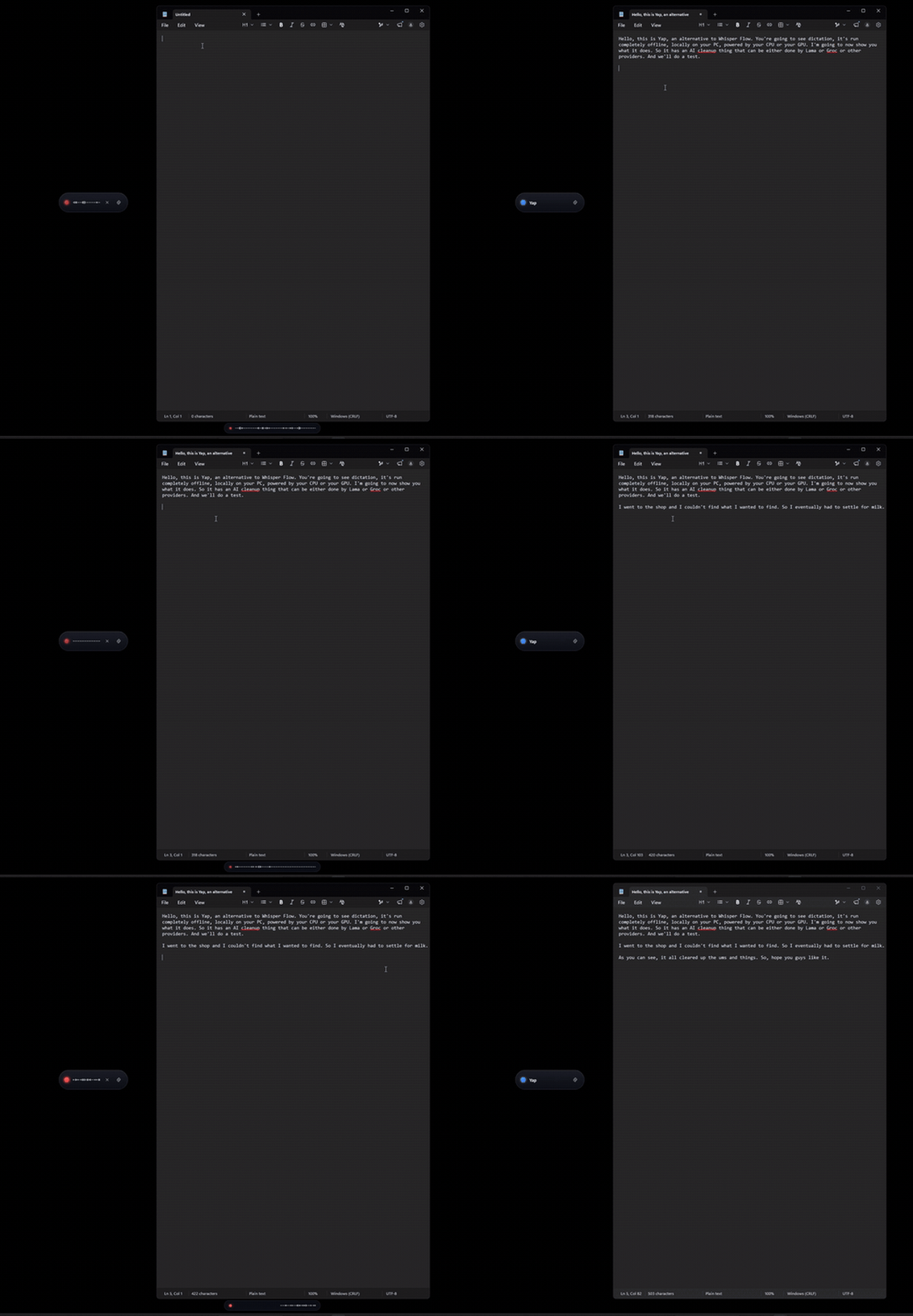
An actual capture, not a mockup
Dictating into Notepad with AI cleanup on — filler words in, clean text out. Recorded straight off the screen.
More than a hotkey and a mic
Any GPU. No CUDA.
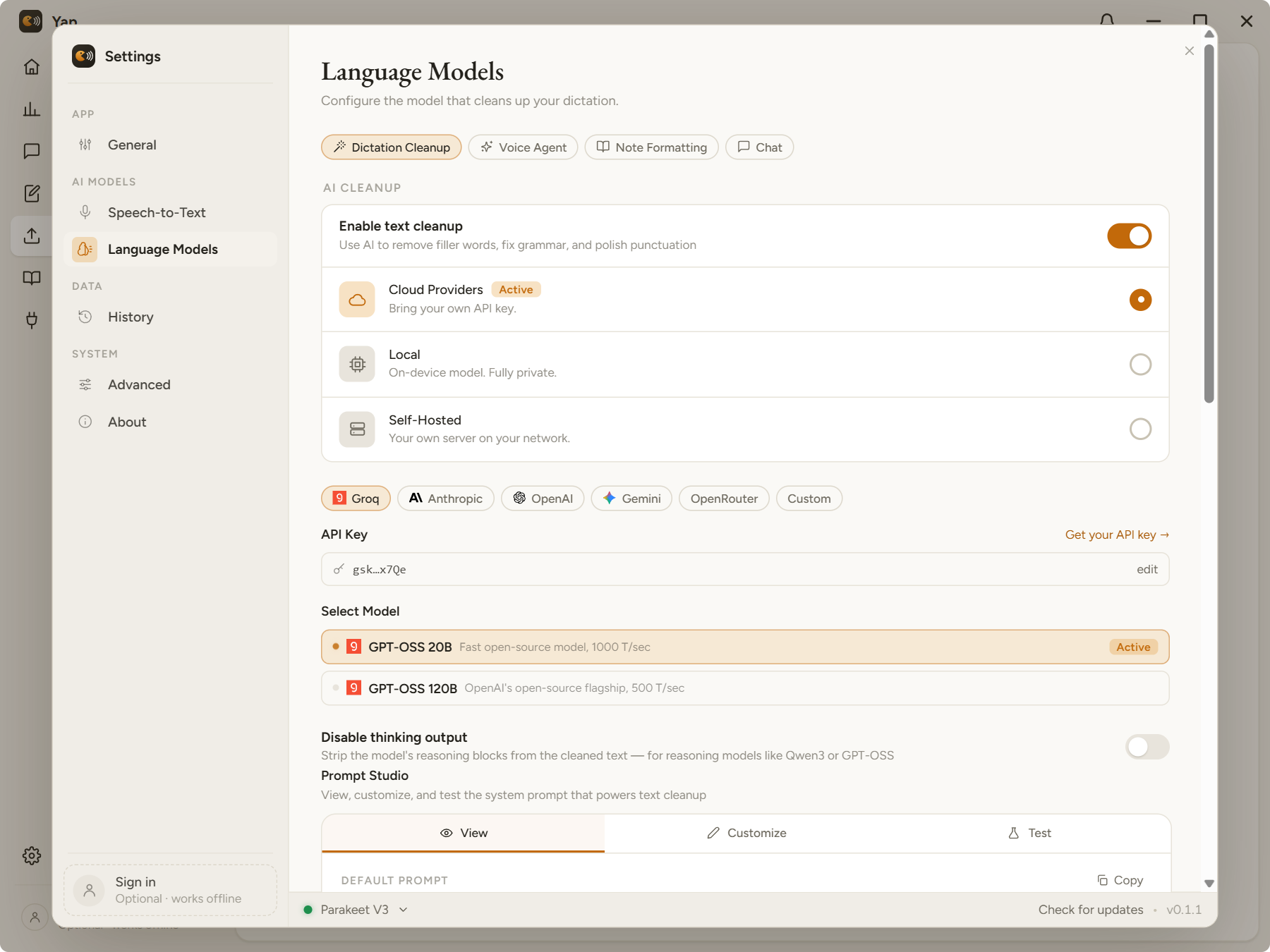
NVIDIA, AMD, or Intel — Vulkan + DirectML cover them all, with CPU fallback. 14 models downloaded in-app, SHA-256 verified.
Offline AI cleanup
One click downloads a small local model that strips filler words, fixes grammar, and resolves "no wait, I meant…" — entirely on your PC. Or bring your own endpoint.
Per-app profiles
Yap detects the app you're dictating into and applies the right cleanup style — terse for Slack, formal for email, code-aware for your IDE.
Edit selection by voice
Select text anywhere, hit the edit hotkey, and say what to change — Yap grabs the selection and rewrites it from your spoken instruction.
Correction dictionary
Names, jargon, product terms — teach Yap the words the models get wrong and it fixes them on every dictation.
History & streaks
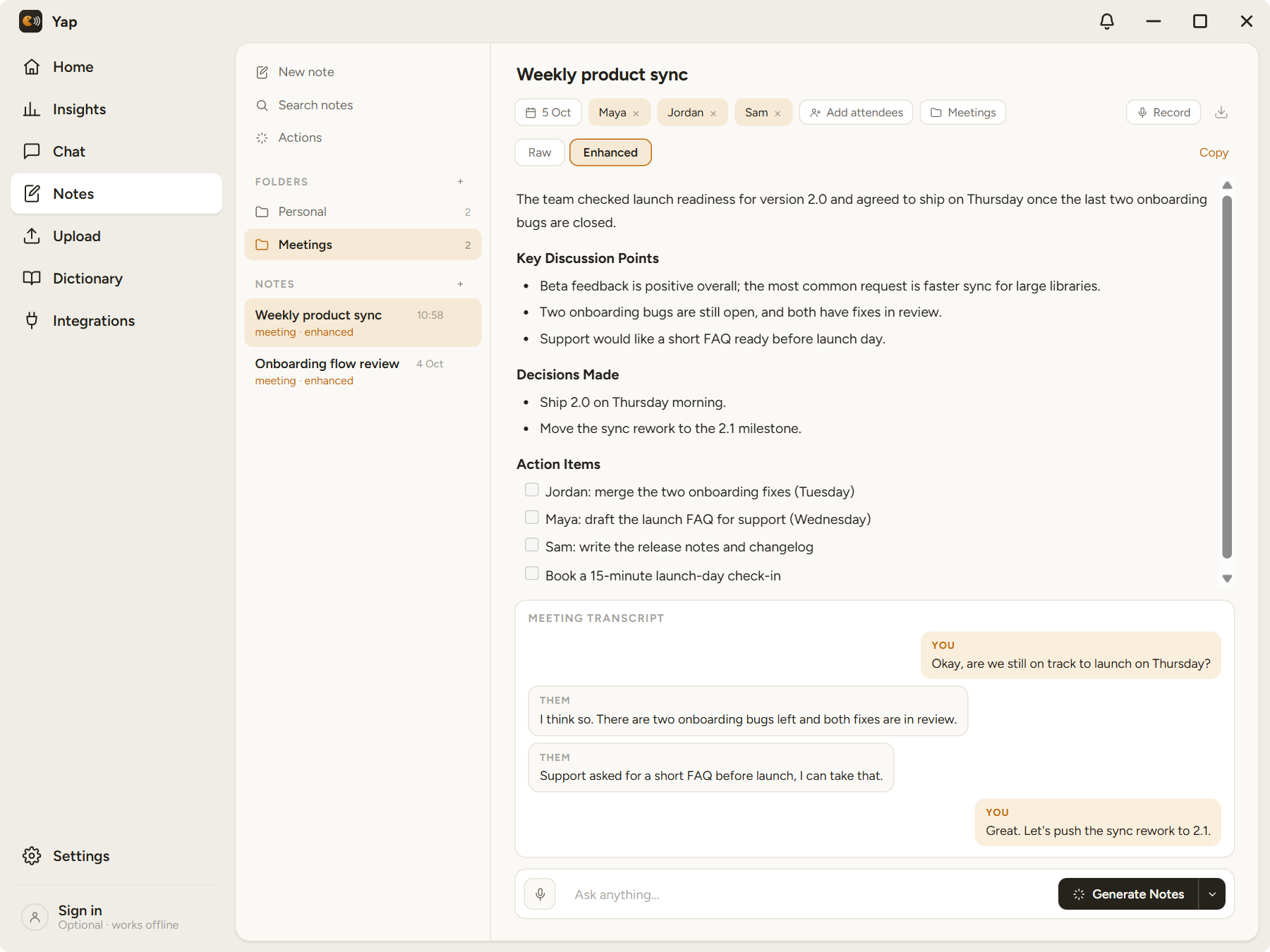
Local-only history with words dictated, time saved vs typing, and a daily streak — clearable, cappable, never uploaded.
$ also: toggle or push-to-talk · live partial transcripts · portable mode · signed auto-updates · translate-to-English · optional account
14 models. One small installer.
From a 55 MB Moonshine to Whisper Large v3 — including multilingual Parakeet, NVIDIA Canary, and CJK-tuned SenseVoice. Downloaded in-app when you want them, unloaded from VRAM when idle.
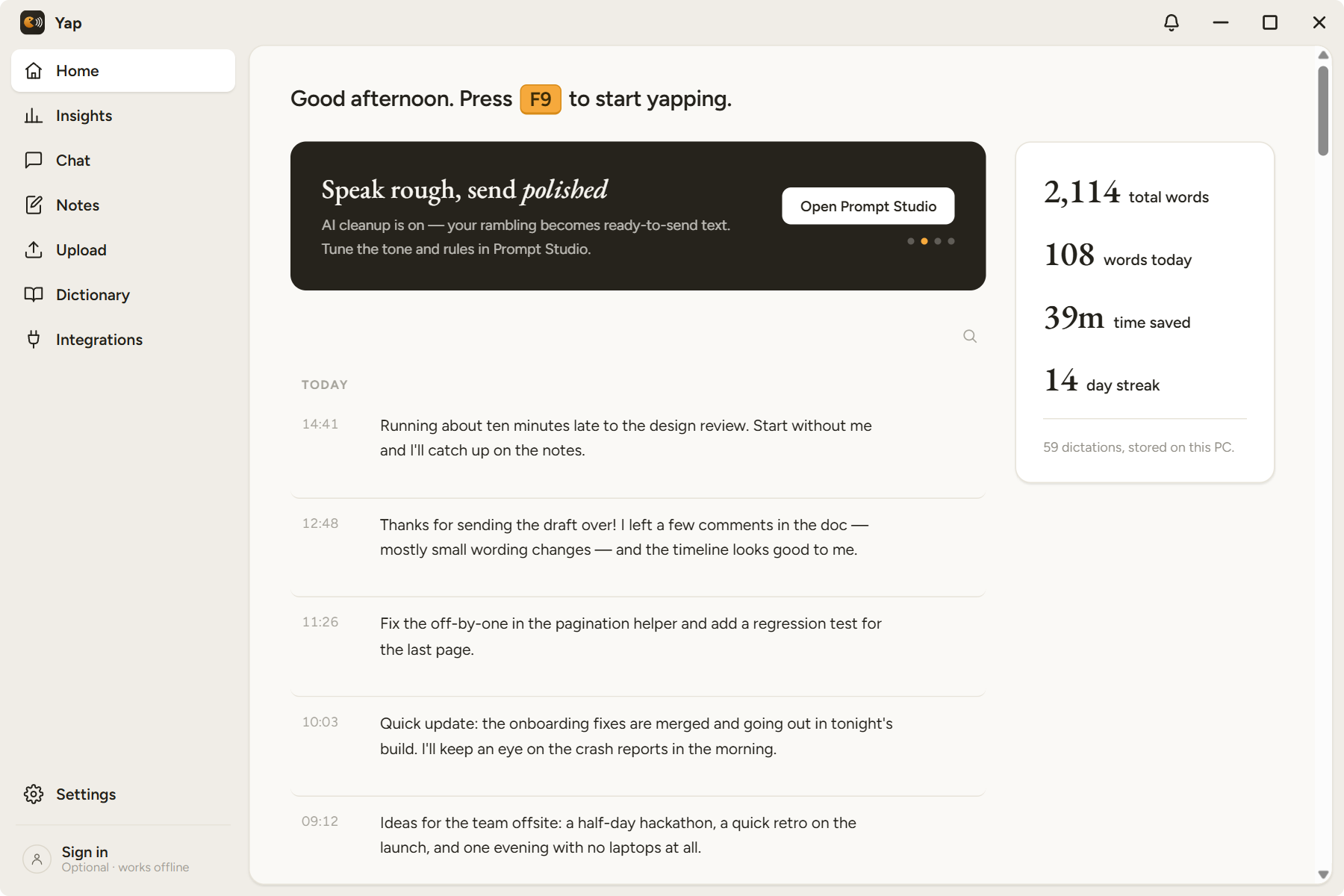
a floating overlay while you talk, one window for everything else
Yap dictates. Voice Mirror builds.
Yap grew out of Voice Mirror's voice stack and turned dictation into its whole job. When you're ready to build entire apps by voice — with an AI that sees and drives them — that's Voice Mirror.
Your voice never leaves your PC.
Free, MIT-licensed, no account needed, no telemetry. Download it and start talking.
Signing in is optional (Google, GitHub or an email code) and only for extras like the coming settings sync. Dictation never needs an account. Privacy Policy · Terms